Linked service name change in Cloud Accounting and Tax Return for JA Kenoh Aikawa merger
Money Forward Cloud Accounting and Tax Return automatically switches the linked service name from JA Kenoh Aikawa to JA Atsugi.
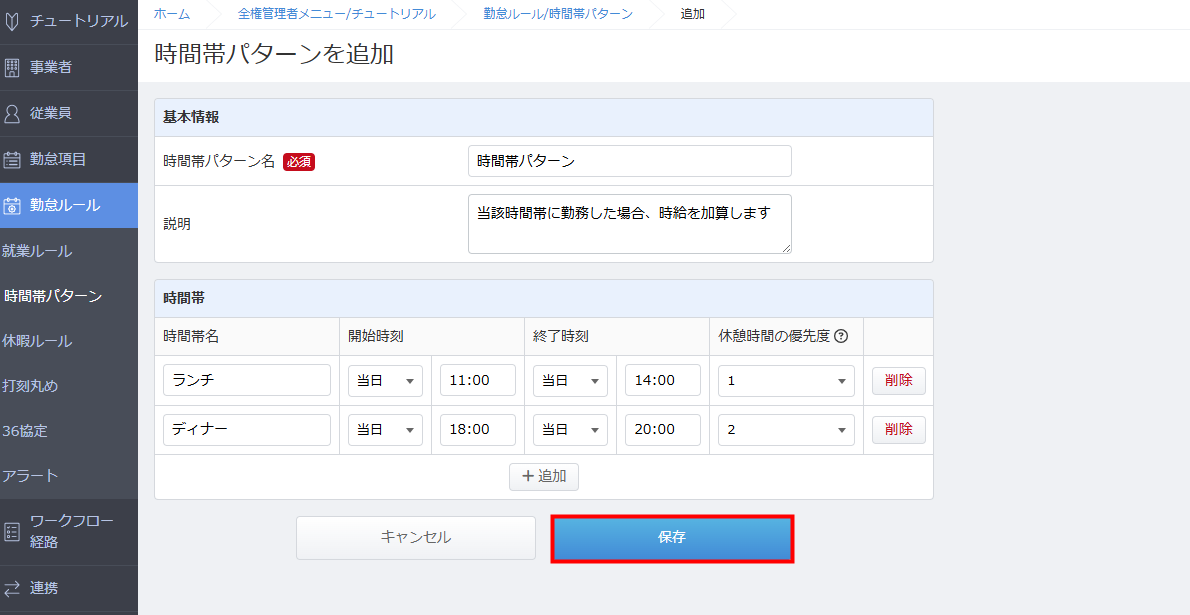
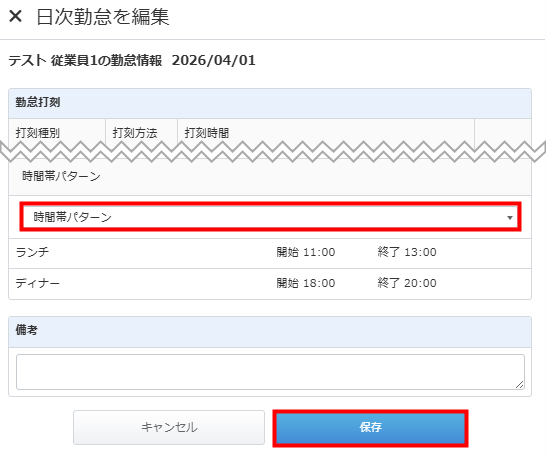
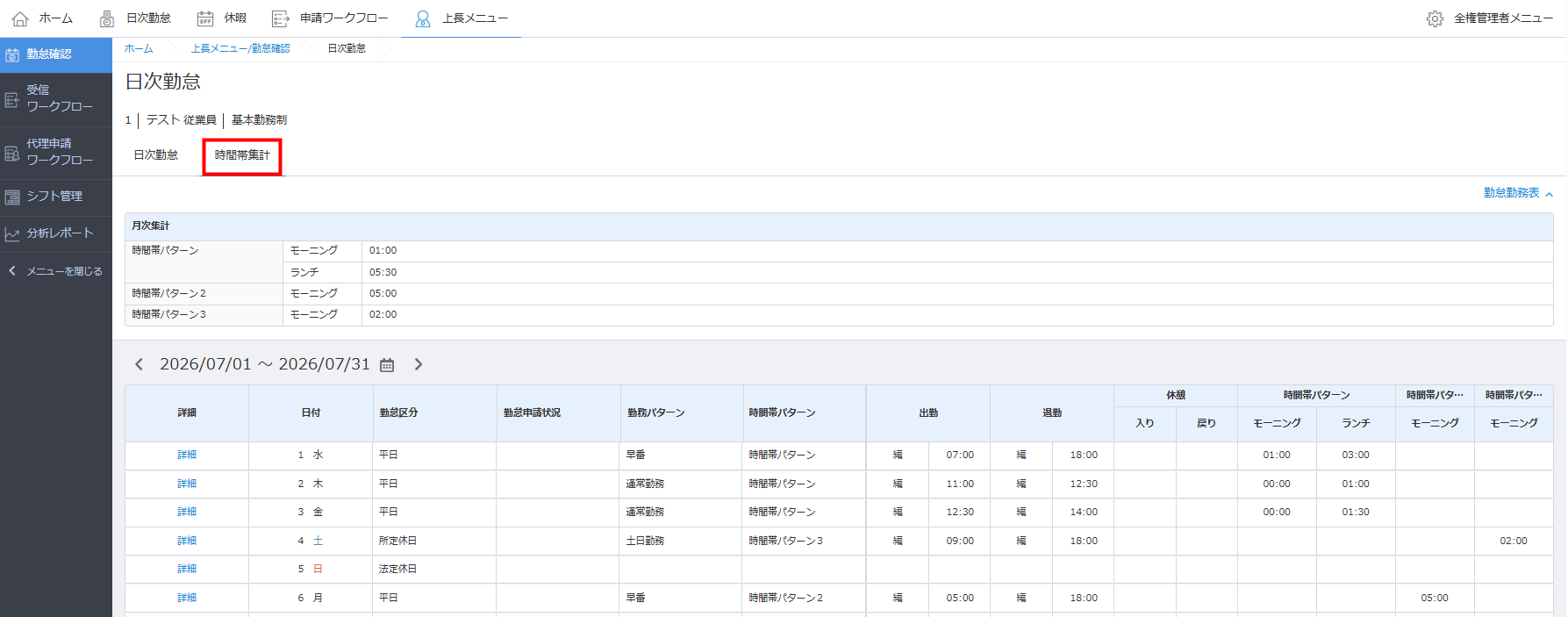
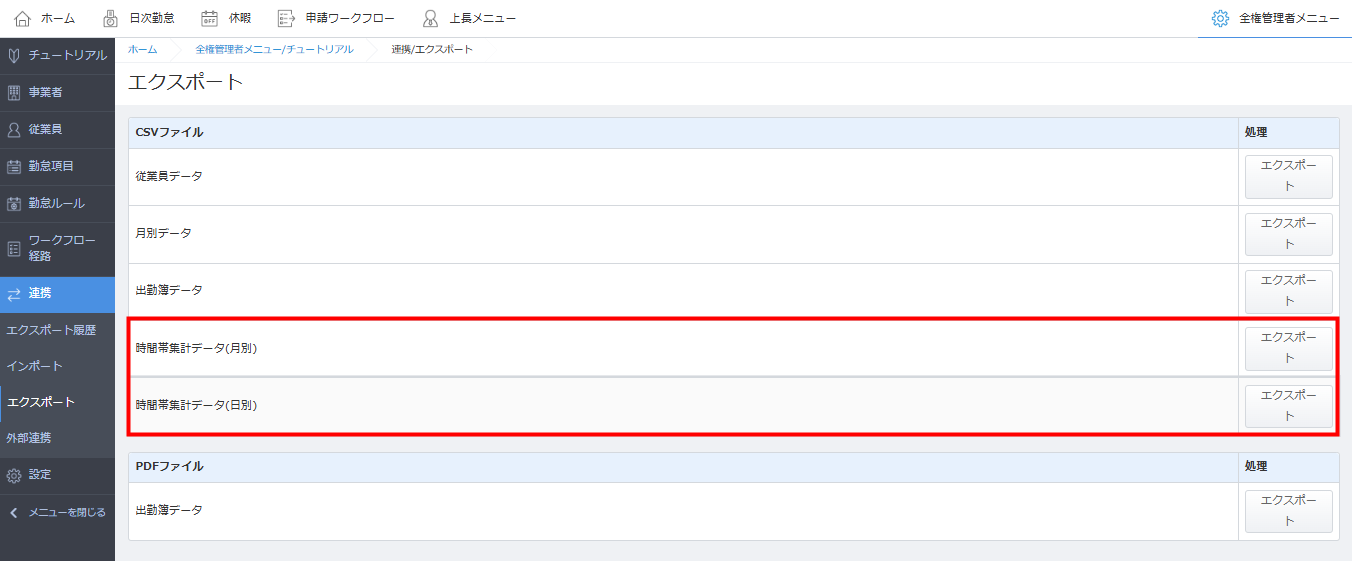
You can now set up time band patterns to automatically aggregate working hours for custom shifts and export them to payroll calculation.
全権管理者メニュー>設定>事業者情報全権管理者メニュー>勤怠ルール>時間帯パターン全権管理者メニュー>連携>エクスポート>時間帯集計データ(月別)全権管理者メニュー>連携>エクスポート>時間帯集計データ(日別)
This summary is independently created by Release Radar and is not an official announcement from the vendor. Please read the official page for accurate details.

Money Forward Cloud Accounting and Tax Return automatically switches the linked service name from JA Kenoh Aikawa to JA Atsugi.
You can now link Moka Shinkumi personal accounts via API to retrieve transaction details in Money Forward Cloud Expense.
You can now import half-day attendance counts into Cloud Payroll and use them for salary and social insurance calculations.

